
🏆 #1 Azure Training Institute in Hyderabad
✅ 100% Placement Assistance
Azure Data Engineer Tools in Hyderabad
Azure Data Engineer tools in Hyderabad include Azure Data Factory, Azure Databricks, Azure Synapse Analytics, Azure Data Lake Storage Gen2, Microsoft Fabric, Power BI, SQL, Python, Apache Spark and Delta Lake. These tools handle data integration, big-data processing, warehousing, storage and visualization. Mastering them is one of the most reliable paths to high-paying cloud data engineering jobs in Hyderabad’s fast-growing IT market.
★★★★★
4.9/5 rated by 1329+ students · Google Verified
Table of Contents
Introduction
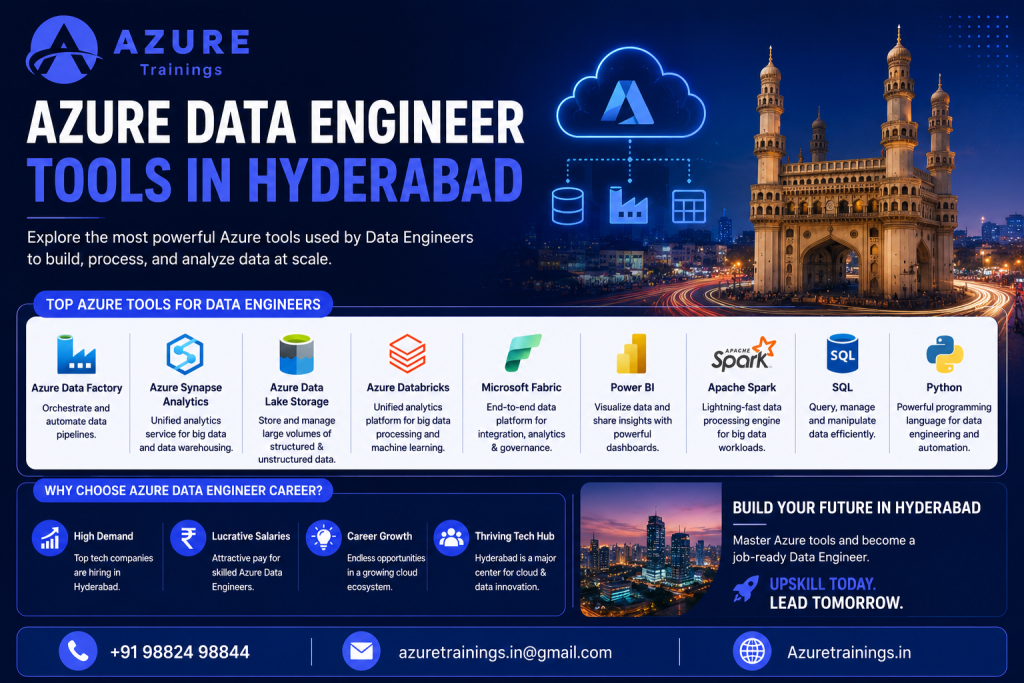
Hyderabad has quietly become one of India’s most important data and cloud hubs. Between the large IT services firms, the global capability centres (GCCs), and Microsoft’s own development campus in the city, demand for people who can build reliable data systems on the cloud keeps rising.
If you are serious about this field, one question matters more than almost anything else: which Azure Data Engineer tools in Hyderabad should you actually learn? This guide answers that, end to end. We will look at what these tools do, why they matter, the demand in Hyderabad, and a realistic roadmap from fresher to expert.
This article is part of our complete guide to the Azure Data Engineer Course in Hyderabad — start here to understand the tools, then head to the main course page for the full learning path, certification roadmap, and placement support.
Short paragraphs, plain language, and honest numbers. Let’s get into it.
What is an Azure Data Engineer?
An Azure Data Engineer designs and builds the systems that move, store, clean, and prepare data on Microsoft Azure so that analysts, data scientists, and business teams can use it.
In simple terms, an Azure Data Engineer:
- Builds data pipelines that move data from many sources into one place
- Cleans and transforms raw data into usable, analytics-ready tables
- Designs storage and data warehousing layers that are fast and cost-efficient
- Makes sure data is secure, reliable, and available when it is needed
Think of it like plumbing for a building. Nobody sees the pipes, but nothing works without them. Data scientists and dashboards get the attention; the data engineer makes sure clean data actually arrives.
A quick note on the job title. Microsoft retired its old DP-203: Azure Data Engineer Associate certification on 31 March 2025 and replaced it with DP-700: Fabric Data Engineer Associate, which is built around Microsoft Fabric. The role is exactly as relevant as ever, but the official certification path now leans toward Fabric. We will come back to this, because most older articles still get it wrong.
Why Azure Data Engineer Tools Are Important
You can know the theory of data engineering and still be unhireable if you cannot use the tools. In real jobs, the tools are the work.
Here is why the right tool stack matters so much:
- It is what employers screen for. Job descriptions in Hyderabad list specific tools (Data Factory, Databricks, Synapse, SQL, Python, Spark), and applicant tracking systems filter on them.
- It decides what projects you can handle. Each tool solves a different problem, from ingestion to processing to reporting.
- It directly affects salary. Engineers who pair Azure with in-demand skills like Databricks and Spark typically command higher offers.
- It future-proofs your career. As platforms shift toward Microsoft Fabric and the lakehouse model, knowing the underlying tools makes the transition far easier.
In other words, tools are not a side topic. For an Azure Data Engineer, they are the core of your employability.
Azure Data Engineer Tools in Hyderabad
So what does the demand look like locally? When you scan live Hyderabad job listings, the same Azure Data Engineer tools appear again and again:
- Azure Data Factory – orchestration and data integration
- Azure Databricks – big-data processing with Apache Spark
- Azure Synapse Analytics – data warehousing and analytics
- Azure Data Lake Storage Gen2 – scalable, low-cost storage
- SQL and Python – the everyday working languages
- Apache Spark and Delta Lake – large-scale processing and the lakehouse layer
- Power BI – reporting and visualization
- Microsoft Fabric – the newer unified platform many teams are moving to
This is not guesswork. Analyses of Hyderabad data engineering job descriptions consistently rank Spark, Python, SQL, Azure, ETL, and Databricks among the most requested skills. If you build a portfolio around this exact list, you are aligning yourself with what local employers are hiring for right now. If you would rather learn this exact stack through guided, project-based classes, a structured Azure Data Engineer course in Hyderabad covers it end to end.
Most Popular Azure Data Engineering Tools in 2026
Below is a consolidated view of the most popular Azure data engineering tools and where each one fits. Use it as your “map” before we go tool by tool.
Azure Data Engineer Tools Table
Tool Name | Category | Purpose | Skill Level | Industry Usage |
Azure Data Factory | Data Integration / Orchestration | Build and schedule ETL/ELT pipelines across many sources | Beginner–Intermediate | Very High |
Azure Databricks | Big Data Processing | Large-scale Spark processing, ML, and lakehouse workloads | Intermediate–Advanced | Very High |
Azure Synapse Analytics | Data Warehousing / Analytics | Unified warehousing, big-data queries, and analytics | Intermediate–Advanced | High |
Azure Data Lake Storage Gen2 | Storage | Scalable, hierarchical, cost-efficient data lake storage | Beginner–Intermediate | Very High |
Microsoft Fabric | Unified Data Platform | End-to-end analytics: ingestion, lakehouse, warehouse, BI | Intermediate–Advanced | Growing Fast |
Power BI | Data Visualization / BI | Dashboards, reports, and self-service analytics | Beginner–Intermediate | Very High |
SQL | Query Language | Querying, transforming, and modelling structured data | Beginner (core) | Universal |
Python | Programming Language | Automation, transformations, and data processing logic | Beginner–Intermediate | Very High |
Apache Spark | Big Data Engine | Distributed processing of huge datasets | Intermediate–Advanced | High |
Delta Lake | Lakehouse Storage Layer | Reliable, ACID-compliant tables on the data lake | Intermediate | High |
Now let’s unpack the tools that matter most.
Azure Data Factory for Data Integration
Azure Data Factory (ADF) is Azure’s cloud service for data integration and pipeline orchestration. It is usually the first “serious” Azure tool a data engineer learns.
With ADF you connect to dozens of sources (databases, files, APIs, SaaS apps), move that data, and transform it on a schedule, all through a visual, low-code interface. It supports both ETL and ELT patterns and is the backbone of most ingestion workloads.
Why it matters in Hyderabad: almost every Azure data engineering role expects ADF. It is the tool that turns scattered source systems into organised, repeatable data pipelines, which is exactly what teams need on day one. If you want hands-on practice, a dedicated Azure Data Factory training in Hyderabad walks through building real pipelines step by step.
Azure Databricks for Big Data Processing
Azure Databricks is a managed Apache Spark platform built for big data processing, machine learning, and the modern lakehouse.
When datasets are too large or too messy for ordinary databases, Databricks distributes the work across a cluster and processes it in parallel. Engineers write transformations in PySpark, Spark SQL, or Scala inside collaborative notebooks.
Databricks is one of the highest-value skills you can add. Hyderabad job descriptions frequently pair “Azure” with “Databricks” and “PySpark,” and the Databricks certification path is extremely popular among Indian data engineers. If you want to stand out, this is where to invest after ADF.
Azure Synapse Analytics for Data Warehousing
Azure Synapse Analytics brings data warehousing, big-data analytics, and data integration into one workspace.
It lets you query both structured warehouse tables and raw lake files, run large analytical workloads, and serve clean data to reporting tools. For years it was the centre of Azure’s analytics story.
Important context for 2026: Microsoft is steadily steering new projects toward Microsoft Fabric, which absorbs much of the Synapse experience. Synapse is still widely used in existing enterprise systems, so it remains worth learning, but understand that Fabric is the direction of travel.
Azure Data Lake Storage Gen2 for Scalable Storage
Azure Data Lake Storage Gen2 (ADLS Gen2) is Azure’s storage layer built specifically for analytics at scale.
It combines the low cost of object storage with a hierarchical file system, fine-grained security, and tight integration with Databricks, Synapse, and Fabric. In practice, this is where your raw and processed data physically lives.
Why it matters: nearly every Azure data pipeline reads from or writes to ADLS Gen2. It is foundational, inexpensive to learn, and expected knowledge in most roles. Beginners should learn it early, right alongside Data Factory.
Microsoft Fabric for Modern Data Engineering
Microsoft Fabric is Microsoft’s unified, AI-powered data platform, and it is the most important shift in this field right now.
Instead of stitching together separate services, Fabric brings data integration (Data Factory), the lakehouse and Spark engineering, warehousing, real-time intelligence, data science, and Power BI into a single product, all built on a unified storage layer called OneLake.
Two reasons this matters for your career:
- Microsoft’s current data engineering certification, DP-700 (Fabric Data Engineer Associate), is built on Fabric, not the retired DP-203.
- Many enterprises and GCCs in Hyderabad are evaluating or migrating to Fabric, so early skills here are a genuine differentiator.
You do not need to abandon Synapse or Databricks. But in 2026, ignoring Fabric would be a mistake.
Power BI for Data Visualization
Power BI is Microsoft’s data visualization and business intelligence tool. It turns the data you have engineered into dashboards and reports that decision-makers can actually read.
While visualization is often associated with analysts, data engineers benefit enormously from knowing Power BI. You understand what the “consumers” of your pipelines need, you can validate your own outputs, and you become more useful across the full data lifecycle.
It is also beginner-friendly, which makes it a confidence-building tool early in your journe
SQL for Data Engineering
SQL is the single most universal skill in data engineering. If you learn only one thing first, learn SQL.
You use it to query data, build transformations, model tables, and validate results across virtually every Azure tool, including Synapse, Databricks (Spark SQL), Fabric, and Power BI. Data modeling itself is expressed largely through SQL and schema design.
Hyderabad employers treat strong SQL as non-negotiable. It is the foundation that makes every other tool easier to use, and it is the skill most likely to come up in Azure Data Engineer interview questions.
Python for Azure Data Engineers
Python is the primary programming language for Azure Data Engineers. It powers automation, custom transformations, and data processing logic across the stack.
In practice you will use Python (and PySpark, its Spark interface) inside Databricks notebooks, in Fabric, and in custom pipeline activities. It handles the logic that visual tools cannot express cleanly.
You do not need to be a software engineer. You need solid, practical Python: data structures, functions, working with files and APIs, and the popular data libraries. That level is very achievable for freshers within a few focused months. A structured Python course in Hyderabad can speed this up if you prefer guided learning.
Apache Spark for Big Data Analytics
Apache Spark is the open-source engine behind large-scale big data analytics, and it is what powers Azure Databricks and the Spark workloads in Fabric.
Spark processes massive datasets by splitting work across many machines and running it in parallel, which is why it is the standard for heavy transformation jobs. You typically write Spark code in PySpark or Spark SQL.
Because Spark sits under several Azure tools, learning it pays off repeatedly. Hyderabad job listings name Spark and PySpark among their most-requested skills, so this is high-leverage learning.
Delta Lake for Modern Lakehouse Architecture
Delta Lake is the storage layer that makes the modern lakehouse reliable. It adds database-like guarantees (ACID transactions, versioning, schema enforcement) on top of files in your data lake.
In plain terms, Delta Lake lets you treat cheap lake storage with the reliability you would expect from a warehouse. It is central to how Databricks and Fabric handle data, and it underpins the lakehouse pattern that has largely replaced the old “lake plus separate warehouse” model.
For engineers, understanding Delta tables is what separates “I can run a notebook” from “I can build a trustworthy data platform.”
ETL and ELT Tools Used by Azure Data Engineers
ETL and ELT are the two core patterns for moving and shaping data, and most of your tools exist to serve them.
- ETL (Extract, Transform, Load): transform data before loading it into the destination. Common when the target is a structured warehouse.
- ELT (Extract, Load, Transform): load raw data first, then transform it inside the destination. Common with cloud lakes and lakehouses, where storage is cheap and compute is elastic.
The main Azure tools used for ETL and ELT are:
- Azure Data Factory – orchestration, ingestion, and pipeline scheduling
- Azure Databricks / Apache Spark – heavy transformations at scale
- Azure Synapse / Microsoft Fabric – integration plus warehousing
- SQL – the transformation language used throughout
Understanding when to use ETL versus ELT, not just the tools, is what experienced engineers get paid for.
Comparing the Core Tools
Beginners often ask which tool “wins.” Usually the honest answer is “it depends on the job.” These comparison tables make that concrete.
Azure Data Factory vs Azure Databricks
Feature | Azure Data Factory | Azure Databricks | Best Use Case |
Primary role | Orchestration & ingestion | Big-data processing & ML | ADF to move data; Databricks to transform it |
Coding required | Low-code / visual | Code-first (PySpark, SQL, Scala) | ADF for simple flows; Databricks for complex logic |
Scale of transforms | Light to moderate | Very large, distributed | Databricks for heavy or ML workloads |
Learning curve | Gentle | Steeper | Start with ADF, then add Databricks |
They are partners more than rivals: ADF orchestrates, Databricks does the heavy lifting.
Azure Synapse vs Microsoft Fabric
Feature | Azure Synapse Analytics | Microsoft Fabric | Best Use Case |
Architecture | Service you configure | Unified SaaS platform | Fabric for new, all-in-one projects |
Storage model | ADLS-based | OneLake (unified) | Fabric to reduce data movement |
Direction in 2026 | Mature, widely deployed | Microsoft’s strategic focus | Synapse for existing systems; Fabric for the future |
Certification | Tied to retired DP-203 | Current DP-700 | Fabric for current certification value |
SQL vs Python for Data Engineering
Feature | SQL | Python | Best Use Case |
Core strength | Querying & data modelling | Automation & custom logic | SQL for set-based work; Python for everything else |
Where it runs | Almost every tool | Databricks, Fabric, scripts | Both are essential, not either/or |
Learning order | Learn first | Learn alongside | SQL first, then Python |
Job expectation | Non-negotiable | Highly expected | Strong SQL + practical Python wins offers |
The real answer: you need both. SQL is the foundation; Python is the multiplier.
Azure Data Lake vs Traditional Data Warehouse
Feature | Azure Data Lake (ADLS Gen2) | Traditional Data Warehouse | Best Use Case |
Data type | Raw, structured & unstructured | Structured, modelled | Lake for flexibility; warehouse for clean analytics |
Cost | Low (object storage) | Higher | Lake for large raw volumes |
Schema | Schema-on-read | Schema-on-write | Warehouse for governed reporting |
Modern approach | Lakehouse (lake + Delta Lake) | Often migrated to lakehouse | Lakehouse combines the best of both |
Hyderabad Job Market Demand and Hiring Trends
Hyderabad is one of India’s strongest markets for data engineering talent, and the trend is upward.
What the demand looks like:
- Job boards regularly show 500+ open data engineer roles in Hyderabad across 15+ active employers, with strong week-on-week hiring momentum.
- The most requested skills in local listings are Spark, Python, SQL, Azure, ETL, and Databricks (related tools like Snowflake also appear), closely matching the Azure tool stack in this guide.
- Demand spans both large IT services firms and product organisations / GCCs, which keeps opportunities steady across experience levels.
Salary picture (reported ranges, Hyderabad):
Experience level | Reported annual range (Hyderabad) |
Fresher / Entry (0–2 yrs) | ~₹4–7 LPA |
Mid-level (2–5 yrs) | ~₹8–15 LPA |
Senior (5–8 yrs) | ~₹15–25 LPA |
Lead / Architect (8+ yrs) | ₹25 LPA and above |
For context, Glassdoor (March 2026) reported an average Azure Data Engineer salary in Hyderabad of around ₹9.05 LPA, with a typical range of roughly ₹5.85–₹15.75 LPA and higher figures for senior earners. Payscale similarly placed senior data engineers with Azure skills in Hyderabad above ₹12 LPA on average.
A fair caveat: these are reported averages that vary widely by employer, skills, and interview performance, and they change over time. Treat them as a guide, not a guarantee.
Top Azure Data Engineer Tools That Employers Look For
If you want to match what hiring managers actually filter for, prioritise these:
- Azure Data Factory – expected in almost every role
- SQL – the universal screening skill
- Azure Databricks + Apache Spark / PySpark – the big-data differentiator
- Python – for automation and transformations
- Azure Data Lake Storage Gen2 – the storage foundation
- Azure Synapse Analytics – still common in enterprise systems
- Microsoft Fabric – increasingly requested and resume-worthy
- Power BI – a strong “full lifecycle” bonus
Learn these in roughly this order and you will rarely be screened out for missing a keyword.
Azure Data Engineering Tools Used in Real-Time Projects
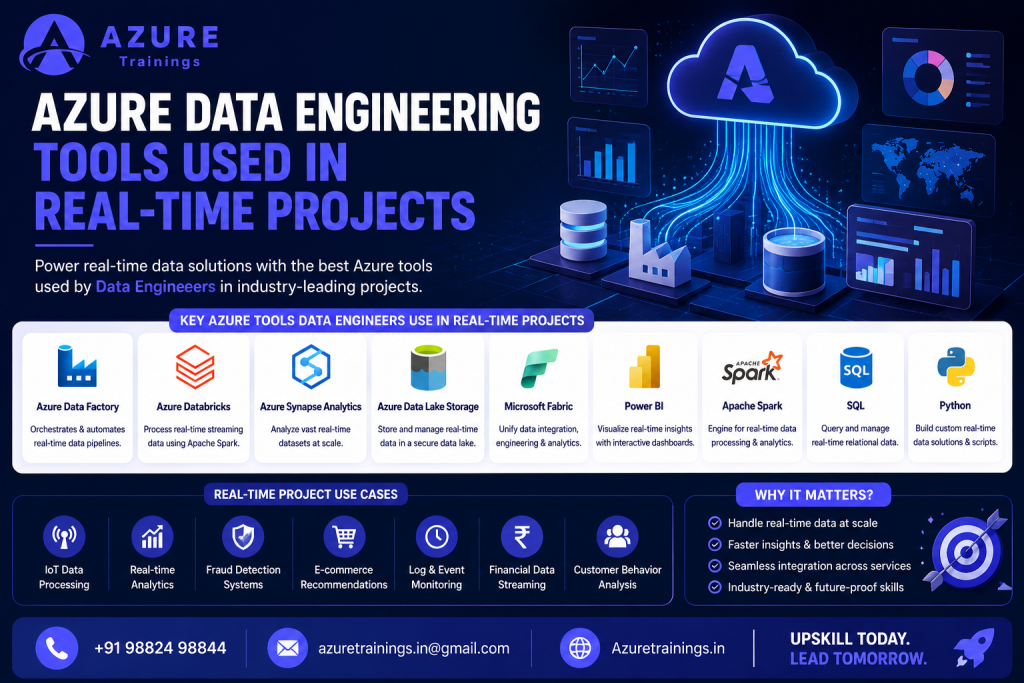
In real projects, you rarely use one tool in isolation. A typical end-to-end Azure data pipeline looks like this:
- Ingest: Azure Data Factory pulls data from source systems on a schedule
- Store (raw): data lands in Azure Data Lake Storage Gen2
- Process: Azure Databricks / Apache Spark cleans and transforms it
- Reliability: Delta Lake provides versioned, trustworthy tables (the lakehouse)
- Serve / Warehouse: Synapse or Microsoft Fabric organises analytics-ready data
- Visualize: Power BI turns it into dashboards for the business
This is the pattern interviewers expect you to describe, and it is the workflow a single Azure data engineering project in your portfolio should demonstrate. Building one realistic project that touches each stage is worth more than ten disconnected tutorials.
Azure Data Engineer Tools for Freshers
If you are starting out, do not try to learn everything at once. Master a small, employable core first.
Recommended starting tools for freshers:
- SQL – your foundation; learn it deeply
- Python – practical basics, then data libraries
- Azure Fundamentals – understand the cloud and core Azure services
- Azure Data Factory – your first real pipeline tool
- Azure Data Lake Storage Gen2 – where data lives
- Power BI (basics) – to see the end result
Freshers in Hyderabad regularly get hired with this core plus one or two solid mini-projects and a clear, honest resume. Companies do not expect a fresher to know everything; they expect strong fundamentals and the ability to learn.
Azure Data Engineer Tools for Working Professionals
If you already work in IT, databases, ETL, or analytics, you have a real advantage. Your job is to convert existing skills into Azure-specific, in-demand ones.
Where working professionals should focus:
- Azure Databricks + Spark/PySpark – the highest-leverage upgrade
- Microsoft Fabric – position yourself ahead of the migration curve
- Delta Lake & lakehouse architecture – modern design patterns
- Advanced Azure Data Factory – complex pipelines, parameters, and CI/CD pipelines
- DP-700 (Fabric Data Engineer Associate) – the current certification
- Cloud cost and performance optimization – a senior-level differentiator
The goal is not to relearn the basics. It is to add the cloud-native, scalable skills that move you into mid-to-senior Azure data engineering roles.
Azure Data Engineer Tool Stack for Beginners
A focused beginner stack keeps you employable without overwhelm:
- Languages: SQL (core), Python (practical)
- Integration: Azure Data Factory
- Storage: Azure Data Lake Storage Gen2
- Visualization: Power BI (basics)
- Cloud base: Azure fundamentals
Build one end-to-end mini-project with this stack. That single project will teach you more than passively watching course videos.
Azure Data Engineer Tool Stack for Experienced Professionals
An advanced stack signals you can own real production systems:
- Processing: Azure Databricks, Apache Spark / PySpark
- Lakehouse: Delta Lake, Microsoft Fabric (OneLake)
- Warehousing: Azure Synapse Analytics / Fabric Warehouse
- Orchestration: Advanced Data Factory with CI/CD
- Governance: security, monitoring, cost optimization
- Certification: DP-700 (Fabric Data Engineer Associate)
This is the stack that maps to senior, lead, and architect-level Azure Data Engineer career path roles in Hyderabad.
Tool Learning Roadmap Table
Stage | Tools to Learn | Skills Developed | Career Outcome |
Beginner | SQL, Python basics, Azure fundamentals | Querying, scripting, cloud basics | Eligible for trainee / junior data roles |
Intermediate | Azure Data Factory, ADLS Gen2, Power BI | Data pipelines, integration, storage, reporting | Entry-level Azure Data Engineer (Hyderabad) |
Advanced | Azure Databricks, Apache Spark, Synapse, Delta Lake | Big-data processing, warehousing, lakehouse | Mid-level Azure Data Engineer |
Expert | Microsoft Fabric, DP-700, CI/CD, optimization | Unified platforms, architecture, governance | Senior Engineer / Lead / Data Architect |
How to Master Azure Data Engineering Tools
Tools are learned by building, not just watching. Here is a realistic path:
- Build a strong base first. Get genuinely good at SQL and practical Python before touching advanced services.
- Learn one tool at a time. Start with Azure Data Factory and ADLS Gen2, then add Databricks and Spark.
- Do hands-on projects. Build at least one end-to-end pipeline that ingests, stores, transforms, and visualizes real data.
- Embrace the lakehouse and Fabric. Learn Delta Lake and Microsoft Fabric so you are aligned with where the platform is going.
- Target the right certification. Pursue DP-700 (Fabric Data Engineer Associate) — not the retired DP-203 — for current market value.
- Use Azure’s free tier and Microsoft Learn. Practising on real infrastructure beats theory every time. (Microsoft Learn: DP-700)
- Consider structured Azure Data Engineer training in Hyderabad if you want guided projects, mentorship, and placement support — especially helpful for freshers and career switchers.
Consistency beats intensity. Steady weekly progress over a few months will get you further than occasional crash sessions.
Top Companies Using Azure Data Engineering Tools in Hyderabad
Hyderabad hosts a deep pool of employers that hire Azure data engineers, including major IT services firms and global capability centres. Companies that regularly recruit for Azure / data engineering skills in the city include:
- Microsoft (large development campus in Hyderabad)
- TCS, Infosys, Wipro, HCLTech, Tech Mahindra, Cognizant
- Accenture, Capgemini, Deloitte
- A wide range of GCCs and product companies (banking, healthcare, retail, and SaaS) with data teams in Hyderabad
A fair caveat: large enterprises are often multi-cloud (many teams also work with AWS and GCP), so exact internal stacks vary and are rarely published. What is consistent is that Azure data engineering skills are in active demand across these organisations and the broader Hyderabad market.
Key Takeaways
- Master the core stack: Azure Data Factory, Databricks, Synapse, Data Lake Storage Gen2, SQL, Python, Spark, Delta Lake, Power BI, and Microsoft Fabric are the Azure Data Engineer tools that matter most in Hyderabad.
- SQL first, then Python: these two languages are the foundation everything else builds on.
- Certifications changed: DP-203 is retired — pursue DP-700 (Fabric Data Engineer Associate) for current value.
- Fabric is the future: the platform is moving toward Microsoft Fabric and the lakehouse model, so learn Delta Lake and Fabric early.
- Build, don’t just watch: one realistic end-to-end project plus a clear resume beats dozens of disconnected tutorials in the Hyderabad job market.
Conclusion
The path to a strong cloud data career is clearer than most people think. Demand in Hyderabad is real, the salaries are competitive, and the Azure Data Engineer tools you need are well defined: Data Factory, Databricks, Synapse, Data Lake Storage Gen2, Microsoft Fabric, Power BI, SQL, Python, Spark, and Delta Lake.
The difference between reading about these tools and building with them is the difference between hoping for a job and getting one. Start with SQL and Python, add Azure Data Factory and the lakehouse stack, build one project that you can talk about confidently, and align your certification with DP-700.
Ready to start? Pick your first tool today, build something small with it this week, and keep going. If you would like structured guidance, hands-on projects, and placement support, explore our Azure Data Engineer training in Hyderabad or book a free demo and take the first step toward a rewarding cloud data engineering career.
Frequently Asked Questions
- What are the main Azure Data Engineer tools in Hyderabad? The main tools are Azure Data Factory, Azure Databricks, Azure Synapse Analytics, Azure Data Lake Storage Gen2, Microsoft Fabric, Power BI, SQL, Python, Apache Spark, and Delta Lake. Together they cover data integration, big-data processing, warehousing, storage, and visualization.
- What does an Azure Data Engineer do? An Azure Data Engineer builds and maintains data pipelines, transforms raw data into analytics-ready data, designs storage and warehousing layers, and ensures data is secure and reliable, all on the Microsoft Azure cloud.
- Is DP-203 still valid, and which certification should I take now? DP-203 (Azure Data Engineer Associate) was retired on 31 March 2025 and can no longer be taken. The current Microsoft data engineering certification is DP-700: Fabric Data Engineer Associate, built on Microsoft Fabric. New candidates should target DP-700.
- What skills are required for Azure Data Engineer jobs in Hyderabad? Core skills are SQL, Python, Azure Data Factory, Azure Data Lake, Azure Databricks, and Azure Synapse Analytics. Spark/PySpark and Microsoft Fabric add strong value. Freshers can start with SQL, Azure fundamentals, and basic Python.
- What is the Azure Data Engineer salary in Hyderabad? Reported salaries in Hyderabad commonly range from about ₹4–7 LPA for freshers to ₹15–25 LPA or more for senior engineers. Glassdoor (March 2026) put the average near ₹9 LPA. Figures vary by employer, skills, and experience.
- Can a fresher get an Azure Data Engineer job in Hyderabad? Yes. Freshers regularly get hired with strong fundamentals (SQL, Azure basics, Python), one or two solid mini-projects, and a clear resume. Companies value the ability to learn over knowing every tool.
- Is SQL or Python more important for Azure data engineering? Both matter, but learn SQL first. SQL is the universal, non-negotiable skill used across every Azure tool. Python is the close second, used for automation and custom transformations. Strong SQL plus practical Python is the winning combination.
- What is the difference between Azure Data Factory and Azure Databricks? Azure Data Factory orchestrates and moves data with a low-code interface, while Azure Databricks handles large-scale processing and machine learning using Apache Spark. In most projects they work together: ADF moves the data, Databricks transforms it.
- Do I need to learn Microsoft Fabric in 2026? Yes, increasingly. Microsoft is steering new projects toward Fabric, the current DP-700 certification is Fabric-based, and many Hyderabad employers are evaluating or adopting it. You do not need to drop Synapse or Databricks, but Fabric is a real differentiator.
- Is Azure Data Engineering a good career in Hyderabad? Yes. Demand is high and growing, salaries are competitive, and Hyderabad’s mix of IT services firms, GCCs, and product companies keeps opportunities steady across experience levels, making it one of the stronger data career paths in the city.
