
Data Modeling in Azure
Data is the backbone of modern organizations, and effectively managing that data is critical for achieving business success. Data modeling in Azure plays a central role in defining how data is stored, structured, and accessed across various cloud services. A well-designed data model ensures efficient data processing, supports scalable architectures, enables accurate analytics, and facilitates seamless integration with Azure’s suite of tools.
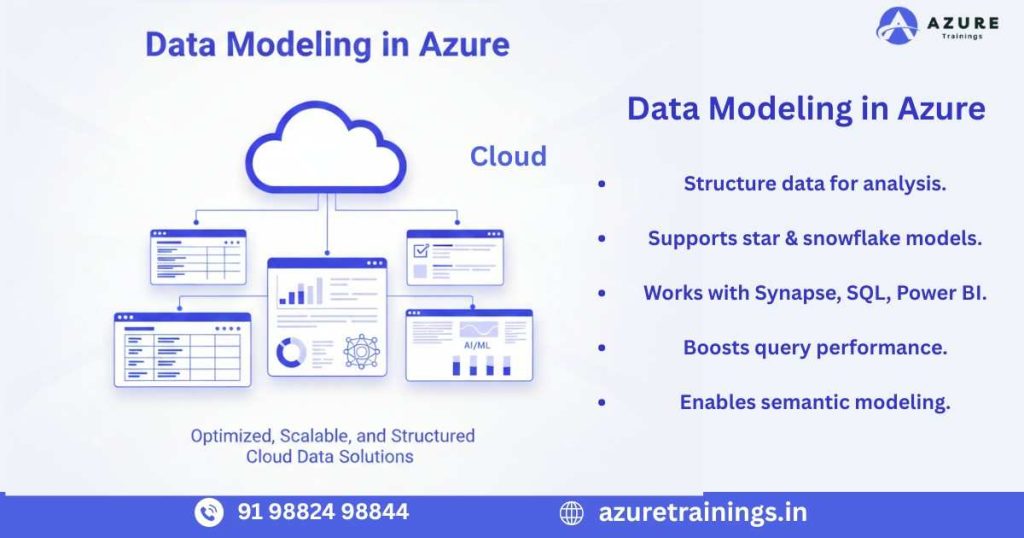
In today’s fast-paced business environment, organizations rely on cloud-based solutions to handle vast amounts of structured and unstructured data. Implementing robust Data Modeling in Azure allows teams to organize data logically, maintain consistency, and optimize performance for both operational and analytical workloads.
What is Data Modeling in Azure?
Data modeling in Azure is the process of designing a structured framework that determines how data is stored, organized, and accessed across the Azure cloud ecosystem. It goes beyond simply storing information it ensures that data is structured logically, relationships are well-defined, and storage is optimized for both operational and analytical workloads.
The process of data modeling in Azure typically involves several key steps:
- Analyzing Business Requirements – Understanding the organization’s processes, reporting needs, and analytical goals to identify which data is critical.
- Identifying Key Entities and Attributes – Determining the core objects or tables, their fields, and how they interact with one another.
- Establishing Relationships – Defining primary keys, foreign keys, and constraints to maintain data integrity and support accurate queries.
- Implementing Storage Strategies – Choosing appropriate Azure services and storage techniques to optimize performance, scalability, and cost-efficiency.
Azure offers a variety of services to support different types of data and workloads:
- Azure SQL Database: Best suited for structured, relational data. It supports transactional systems and traditional business applications where consistency and reliability are critical.
- Azure Synapse Analytics: Optimized for large-scale data warehousing and analytical workloads, enabling complex queries, high-performance reporting, and integrated analytics.
- Azure Data Lake Storage: Ideal for storing raw, unstructured, or semi-structured data, making it perfect for big data, AI, and advanced analytics scenarios.
- Cosmos DB: A globally distributed NoSQL database that provides low-latency access and flexible schema design for highly scalable and responsive applications.
Implementing effective data modeling in Azure is crucial for ensuring data consistency, improving system performance, and deriving actionable insights. A well-planned model allows organizations to scale their solutions, maintain high reliability, and leverage advanced analytics or AI-driven applications effectively.
Importance of Data Modeling in Azure
Implementing effective Data Modeling in Azure offers numerous advantages that are critical for building high-performing and scalable data solutions. A thoughtfully designed data model ensures that organizations can make the most of their cloud investments while enabling accurate and timely insights. Key benefits include:
1. Performance Optimization
Well-structured data models improve query efficiency and reduce processing time. By organizing data logically and leveraging Azure features such as indexing, partitioning, and distribution strategies, organizations can optimize analytics workflows and minimize resource usage. Efficient Data Modeling in Azure ensures faster responses for both operational and analytical queries.
2. Scalability
As organizations grow, the volume of data increases rapidly. Properly designed data models can scale seamlessly with rising data demands. Azure services like Synapse Analytics and Data Lake allow for horizontal and vertical scaling, making it easier to accommodate larger datasets without sacrificing performance. Planning for scalability is a core aspect of Data Modeling in Azure
3. Data Consistency
Maintaining accurate relationships, enforcing constraints, and using validation rules prevents data anomalies and ensures reliability. Consistent data is essential for decision-making and reporting, particularly when integrating multiple Azure services into a unified solution. Strong Data Modeling in Azure practices help maintain this consistency across transactional and analytical systems.
4. Simplified Maintenance
Clear and well-documented data models reduce complexity and make maintenance easier. Teams can quickly understand relationships, data flows, and business rules, which simplifies updates, expansions, and troubleshooting. Simplified maintenance is one of the practical advantages of adopting effective Data Modeling in Azure strategies.
5. Enhanced Analytics
Structured and well-organized data supports advanced analytics, reporting, and AI-driven applications. By designing data models that align with analytical requirements, organizations can generate insights faster, run complex queries efficiently, and support machine learning workflows. Data modeling in Azure ensures that data is analytics-ready and actionable.
By focusing on Data Modeling in Azure, organizations can create robust, scalable, and reliable data architectures that meet both operational and analytical needs, providing a strong foundation for informed business decisions and future growth.
Key Principles of Data Modeling in Azure
Effective data modeling in Azure requires adherence to several foundational principles that ensure your data architecture is efficient, scalable, and aligned with business objectives. Following these principles helps avoid common pitfalls and enables high-performance analytics and operational processes.
1. Understand Business Requirements
Before designing any data model, it is essential to thoroughly understand the business processes and reporting needs. Identify the key entities, their attributes, and the relationships that support decision-making. Determine which metrics are critical for operations and analytics. Clear understanding of business requirements provides a solid foundation for a scalable and efficient data modeling in Azure approach, ensuring that the model aligns with both short-term needs and long-term goals.
2. Select the Right Azure Service
Azure offers a wide range of services for storing, processing, and analyzing data. Choosing the appropriate service is crucial for performance, cost-effectiveness, and scalability. Consider the following options:
- Relational Data: Azure SQL Database is ideal for structured, transactional data.
- Analytical Workloads: Azure Synapse Analytics supports large-scale data warehousing and complex analytics.
- Unstructured or Semi-Structured Data: Azure Data Lake Storage allows storage and processing of raw data for big data and analytics.
- Globally Distributed Applications: Cosmos DB offers low-latency, highly scalable NoSQL solutions.
By aligning the data type and workload with the appropriate Azure service, organizations can maximize the efficiency of their Data Modeling in Azure efforts.
3. Balance Normalization and Denormalization
- Normalization: Reduces data redundancy and ensures consistency by organizing data into structured tables with defined relationships. This is especially important for transactional systems where data integrity is critical.
- Denormalization: Improves query performance by consolidating related data into fewer tables, which is beneficial for analytical and reporting systems.
Balancing normalization and denormalization is a key principle of Data Modeling in Azure, ensuring both performance and integrity across diverse workloads.
4. Define Clear Relationships
Defining explicit relationships between tables or entities is essential for maintaining data integrity and enabling accurate queries. Use primary keys, foreign keys, and constraints to enforce relationships and business rules. Clear relationships also simplify reporting and analytics, making it easier to join, aggregate, and analyze data. Properly implemented relationships are a cornerstone of effective Data Modeling in Azure
5. Use Consistent Naming Conventions
Consistent and meaningful naming conventions for tables, columns, and entities improve clarity and maintainability. Standardized naming ensures that all team members can easily understand the data model, reducing errors and improving collaboration. This principle is particularly important in large-scale data modeling in Azure projects, where multiple teams may work on the same datasets
Best Practices for Data Modeling in Azure
Implementing effective Data Modeling in Azure requires adherence to a set of best practices that ensure your data architecture is scalable, maintainable, and optimized for performance. Below are essential practices that every data professional should follow:
1. Plan for Scalability
Data volumes in Azure can grow rapidly over time. Designing your data model with scalability in mind ensures that your architecture can handle increasing data demands without performance degradation. Depending on the service:
- Azure SQL Database: Implement table partitioning and sharding to distribute large datasets efficiently.
- Azure Synapse Analytics: Use hash or round-robin distribution strategies for large tables to improve query performance.
- Azure Data Lake Storage: Organize data into structured folders and layers for efficient processing and retrieval.
Planning for scalability from the outset ensures that your Data Modeling in Azure remains effective and sustainable as your business grows.
2. Optimize Data Types and Storage
- Use INT instead of BIGINT when the numeric range allows.
- Use DATETIME2 instead of DATETIME for precise timestamps.
- Avoid unnecessarily large text or binary fields unless required.
Optimizing storage not only reduces costs but also enhances the overall efficiency of data modeling in Azure.
3. Implement Partitioning and Indexing
Partitioning and indexing are crucial techniques for improving performance:
- Partitioning divides large datasets into manageable segments, making queries faster and more efficient.
- Indexing allows for rapid retrieval of frequently accessed data, minimizing query times.
Azure SQL Database and Synapse Analytics offer advanced options for both partitioning and indexing. Leveraging these features is a cornerstone of high-performance Data Modeling in Azure
4. Maintain Data Consistency
Data consistency ensures that your analytics and reporting are reliable. Enforce data integrity through:
- Unique constraints on identifiers.
- Foreign key relationships for connecting entities.
- Check constraints to enforce business rules.
Following these practices guarantees trustworthy results from your Data Modeling in Azure efforts.
5. Separate Historical and Current Data
For analytical workloads, separating current and historical data improves query performance and system efficiency:
- Keep current data in optimized layers for frequent access.
- Archive historical data in long-term storage for retention and regulatory purposes.
This separation reduces the query load on active systems and ensures faster response times for analytics.
6. Apply Data Governance
Data governance ensures secure, compliant, and properly managed data:
- Implement role-based access control (RBAC) to restrict access based on user roles.
- Use encryption and masking for sensitive data to protect privacy.
- Maintain audit logs for compliance and tracking changes.
Governance is a vital aspect of data modeling in Azure, providing reliability and trust in your data solutions.
7. Use Star and Snowflake Schemas
Analytical models benefit from well-structured schema designs:
- Star Schema: A denormalized structure with a central fact table and multiple dimension tables, ideal for simplifying queries.
- Snowflake Schema: A normalized structure that reduces data redundancy and storage costs.
Selecting the right schema impacts query performance, storage efficiency, and the ease of analytics in data modeling in Azure.
8. Document the Data Model
Comprehensive documentation is essential for collaboration and maintenance:
- Record tables, columns, relationships, and business rules.
- Document naming conventions, data types, and transformations.
Proper documentation ensures that teams can quickly understand, manage, and expand the data model, making it an important practice in data modeling in Azure.
9. Test and Monitor Performance
Regular testing and monitoring help maintain model efficiency:
- Test under realistic workloads to identify bottlenecks.
- Use Azure monitoring tools to track query performance, resource usage, and data growth.
- Continuously optimize based on observed metrics.
Proactive testing and monitoring guarantee that your data modeling in Azure continues to perform effectively as workloads evolve.
Common Mistakes in Data Modeling in Azure
Even experienced teams can make mistakes that negatively impact performance, scalability, and maintainability. Avoiding these pitfalls is crucial for achieving effective data modeling in Azure. Common mistakes include:
1. Ignoring Scalability and Data Growth
Failing to plan for increasing data volumes can lead to performance bottlenecks and costly redesigns. Azure environments often handle rapidly growing datasets, so models should be designed to scale horizontally or vertically as needed. Ignoring scalability can result in slow queries, high costs, and limited future flexibility.
2. Using Inconsistent Naming Conventions
Inconsistent or unclear naming for tables, columns, and entities can create confusion, reduce maintainability, and lead to errors. Standardized naming conventions improve readability, collaboration, and long-term model management. Teams should adopt clear, descriptive, and consistent naming in all data modeling in Azure projects.
3. Over-Normalizing Analytical Models
While normalization is important for transactional systems, over-normalizing analytical models can slow queries and reduce performance. Analytical workloads benefit from denormalized structures like star or snowflake schemas that simplify querying and aggregation. Balancing normalization and denormalization is essential in data modeling in Azure.
4. Failing to Implement Indexing or Partitioning
Large datasets require indexing and partitioning to achieve optimal query performance. Neglecting these techniques can lead to slow data retrieval, high resource consumption, and inefficient analytics. Properly leveraging Azure SQL Database and Synapse Analytics features is critical for high-performing data modeling in Azure.
5. Neglecting Governance and Security
Ignoring governance and security practices can compromise data integrity, privacy, and compliance. Ensuring proper role-based access control (RBAC), encryption, data masking, and audit logging is essential. Governance is a fundamental part of effective data modeling in Azure, ensuring trustworthy and secure data usage.
By being aware of these common mistakes and proactively addressing them, organizations can build robust, efficient, and scalable data modeling in Azure solutions that support both operational and analytical needs.
Advanced Techniques for Data Modeling in Azure
Modern data architectures in Azure leverage advanced modeling techniques that improve performance, flexibility, and analytics capabilities. Implementing these approaches ensures that your data modeling in Azure is future-ready and optimized for modern workloads.
1. Data Lakehouse Architecture
The Data Lakehouse architecture combines the benefits of Data Lakes and Data Warehouses, allowing organizations to store both raw and structured data in a unified environment. This approach enables seamless integration of batch and real-time data, making analytics more efficient. Effective Data Modeling in Azure for lakehouses involves organizing raw and structured data layers, applying consistent schemas, and optimizing for query performance across analytical workloads.
2. PolyBase Integration
PolyBase is a powerful feature in Azure Synapse Analytics that allows querying external data sources directly without moving the data. This simplifies data integration, reduces ETL complexity, and improves query performance, particularly for large datasets. Incorporating PolyBase into your Data Modeling in Azure strategy ensures faster access to distributed data and streamlines analytical workflows.
3. Serverless Data Models
Serverless SQL pools in Synapse provide on-demand analytics without the need to provision dedicated resources. This approach is highly cost-effective and flexible, especially for workloads with varying query patterns. Designing data modeling in Azure for serverless environments requires careful consideration of query patterns, partitioning, and schema design to maximize performance while minimizing cost.
4. AI and Machine Learning Ready Models
Data models should be structured to support AI and machine learning (ML) workflows. This includes designing pipelines that facilitate feature engineering, data preprocessing, model training, and prediction. Well-modeled data ensures that ML algorithms have clean, consistent, and high-quality input, which is critical for producing accurate and actionable insights. Integrating AI and ML considerations into Data Modeling in Azure allows organizations to leverage advanced analytics for smarter decision-making.
Conclusion
Data modeling in Azure is a critical step in building efficient, scalable, and reliable data architectures. By understanding business requirements, selecting the right storage services, defining clear relationships, and applying performance optimization techniques, organizations can maximize the value of their data.
Implementing best practices in data modeling in Azure ensures not only faster analytics but also simplified maintenance, enhanced governance, and future-ready architectures. Whether working with transactional systems, analytical warehouses, or lakehouse designs, mastering data modeling in Azure is essential for any data professional aiming to drive data-driven decision-making.
FAQ's
Data modeling in Azure is the process of designing a structured framework to organize, store, and access data efficiently across Azure services for analytics and operational workloads.
It ensures data consistency, improves query performance, supports scalability, and enables accurate analytics and AI-driven insights.
Key components include entities, attributes, relationships, primary and foreign keys, and storage strategies.
Azure SQL Database, Azure Synapse Analytics, Azure Data Lake Storage, and Cosmos DB are commonly used for different workloads.
Relational data is structured and stored in tables (SQL), while non-relational data is unstructured or semi-structured (NoSQL, Data Lake, Cosmos DB).
Normalization is organizing data to reduce redundancy and maintain data integrity, usually applied in transactional systems.
Denormalization combines related data into fewer tables to improve query performance, often used in analytical models.
A star schema is a denormalized model with a central fact table connected to multiple dimension tables for simplified analytics.
A snowflake schema is a normalized model where dimension tables are further divided into sub-tables to reduce redundancy.
By optimizing relationships, indexing, partitioning, and storage structures, data models reduce query times and resource usage.
Azure Data Lake stores raw, unstructured, or semi-structured data, allowing scalable storage and analytics-ready data pipelines.
Cosmos DB provides a flexible schema and low-latency access, making it ideal for globally distributed and scalable NoSQL applications.
PolyBase allows querying external data directly within Synapse Analytics without moving it, simplifying integration and improving performance.
Serverless models in Synapse allow on-demand querying without dedicated resources, reducing cost and providing flexibility.
Well-structured models provide clean, consistent, and analytics-ready data, enabling accurate feature engineering and model training.
Common mistakes include ignoring scalability, inconsistent naming, over-normalization, missing indexing, and weak governance.
Use primary and foreign keys, constraints, validation rules, and governance practices to maintain accurate and consistent data.
Documentation improves maintainability, team collaboration, and onboarding, ensuring long-term efficiency of the data model.
Lakehouse architecture combines Data Lake and Data Warehouse benefits, supporting both raw and structured data in a unified analytics platform.
Choose based on data type, workload, performance needs, scalability requirements, and analytical objectives using services like SQL, Synapse, Data Lake, or Cosmos DB.